+49 5458 936 668-0
 info@geocapture.de
Digital maintenance management for construction and trade
Control maintenance & repairs with fleetCare instead of risking long downtimes
Can be used immediately - without complicated implementation

Can be used immediately - without complicated implementation
Maintenance appointments are stuck in Excel lists, in the workshop foreman's calendar or in the heads of employees who are on vacation. If an appointment falls through, you only notice when the machine is down. Damage reports from the construction site arrive by phone call, WhatsApp or not at all - and by the time the information reaches the workshop, there are no photos, details or reference to the vehicle. Who should prioritize which repair often only knows who happened to answer the last call. And at the latest when a workshop invoice is on the table and no one can tell which vehicle it belongs to, it becomes clear: without a centralized system, you lose track of the actual costs per vehicle or machine.
Schedule maintenance automatically and be notified as soon as it is due. Record damage directly on site and hand it over to the workshop without any detours. This allows you to clearly regulate responsibilities and get vehicles and machines back into use more quickly.
Would you like advice?
Our team will be happy to answer all your questions
Tel: +49 5458 936 668-0
Mail: info@geocapture.de
Use AI to plan maintenance automatically and document repairs more quickly.
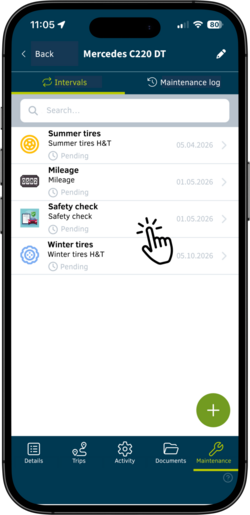
Upload a manual or operating instructions to the portal. The AI automatically recognizes all maintenance - from minor service to inspection - and creates them as suggestions in the system. You will be notified as soon as maintenance is due.
No manual maintenance of maintenance plans
No forgotten maintenance
Clear and predictable maintenance
Maintenance schedules are based on actual usage instead of fixed time intervals. In combination with GPS data from geoCapture vehicle tracking, maintenance schedules are automatically adapted to the actual mileage and usage.
Maintenance according to actual requirements
Automatic adaptation to actual use
Less over- and under-maintenance
Upload workshop invoices to the portal. The AI automatically recognizes which vehicle or machine the invoice belongs to and assigns it to the correct object. This creates a complete cost history over the entire life cycle.
No manual assignment
No lost documents
Complete history per vehicle/machine
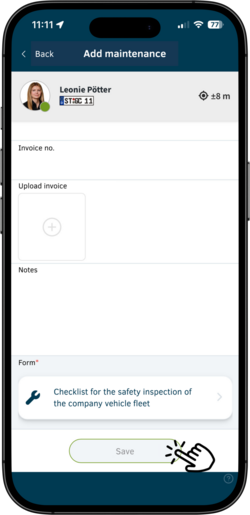
Ready-made forms are available for your documentation.
All entries are assigned directly to the respective vehicle or machine and remain stored in a permanently traceable manner.
In addition to ready-made forms, you can also your own forms and adapt them individually to your processes.

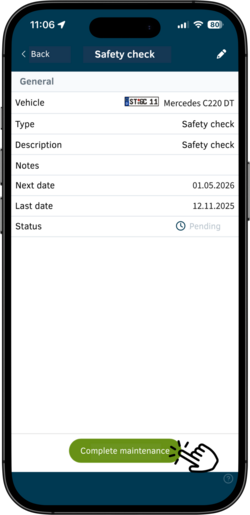
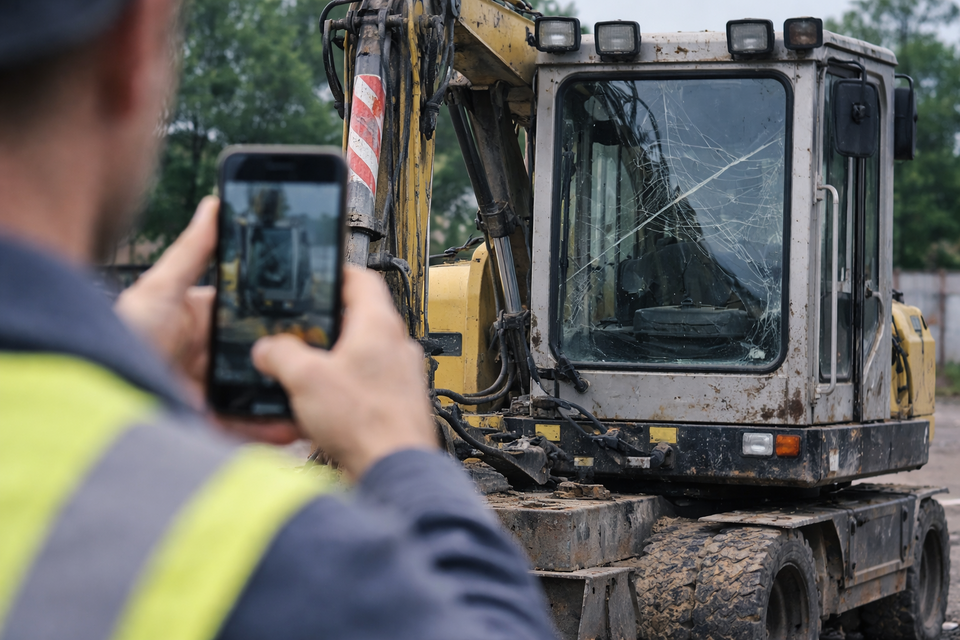
In addition to planned maintenance, you can also process unplanned damage in maintenance management. The following four steps show you how to digitally record, process and complete damage.
If a device, machine or vehicle breaks down, you can record the damage directly on the construction site - with a photo, brief description and priority. The entry takes just a few seconds. This means you don't lose any information, avoid delays and react much faster. Because downtime doesn't start with the repair, but with missing information.
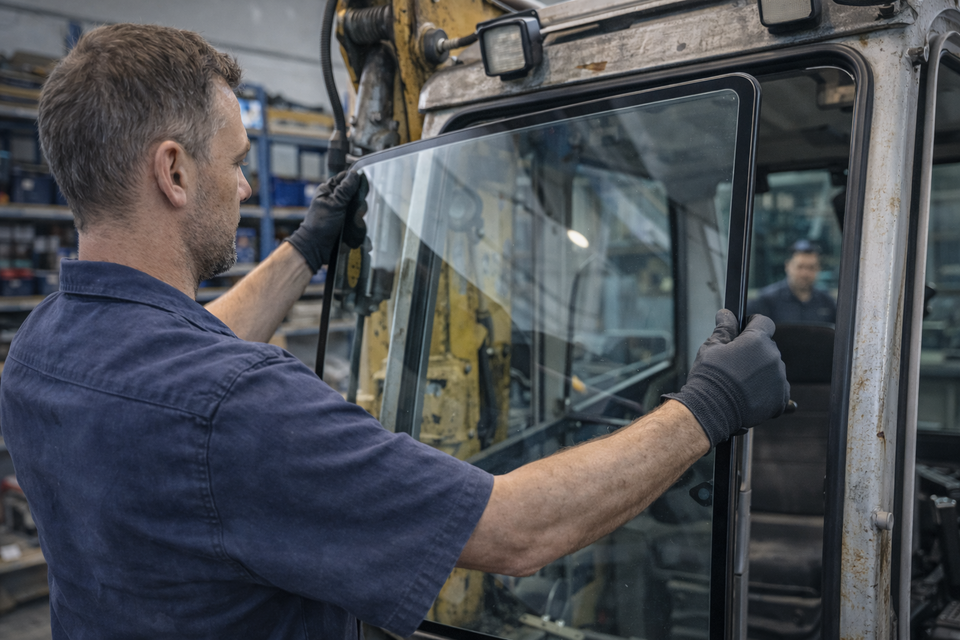
Update the status directly in the app and record the work carried out. Add notes so that everyone involved can see at any time what has been completed and what is still outstanding. This allows you to build up a reliable repair history for each vehicle - as a basis for evaluations, cost control and well-founded decisions.
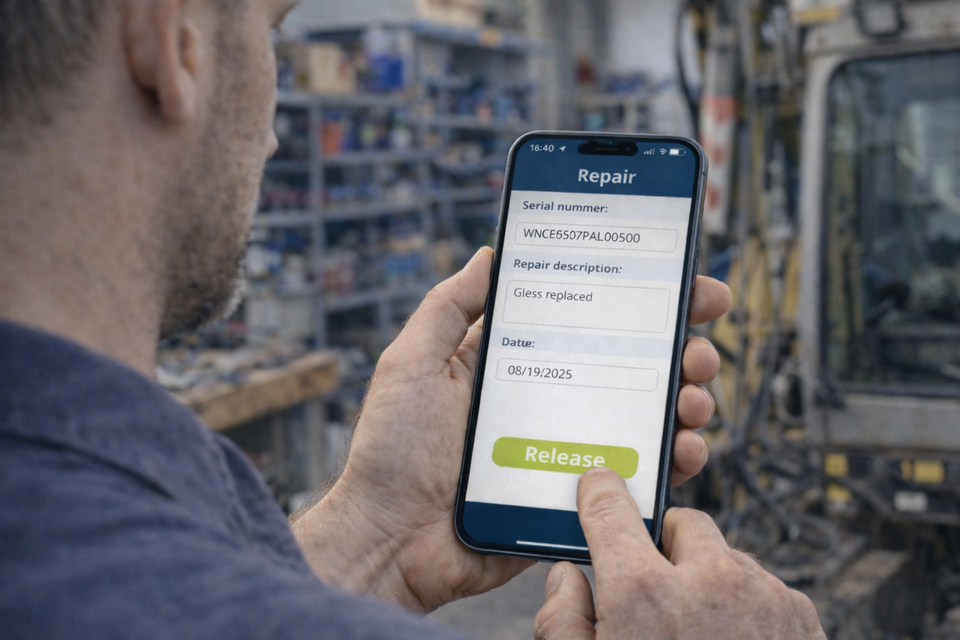
Document the release directly in the app as soon as the repair has been completed. This allows everyone involved to see immediately when vehicles and equipment are available again. You increase operational safety, prevent premature deployments and reduce consequential damage. And you avoid repaired vehicles being at a standstill for an unnecessarily long time simply because a release is lost in the process.
fleetCare is suitable wherever vehicles, machines or equipment are in use. Repairs are
often unavoidable. It is important that these are carried out quickly and easily,
so that the vehicle, machine or device is quickly ready for use again.
Construction machinery, attachments, compressors, generators
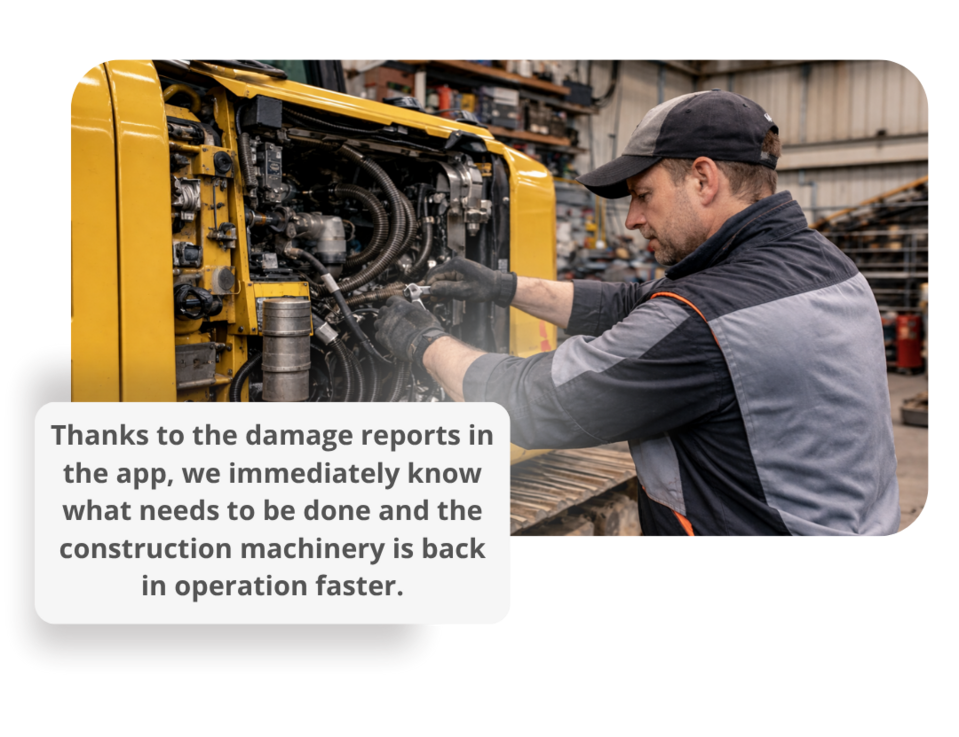
Damage is reported directly on the construction site - with a photo, description and reference to the machine.
The workshop can react immediately, downtimes are reduced and expensive days of downtime are avoided.
Digital maintenance management is a central system with which you can organize and document maintenance, inspections, repairs and damage reports for vehicles, machines and equipment.
All information comes together in one place: from upcoming maintenance and outstanding damage to completed work and associated costs. This means you always have an overview and can manage processes in the workshop and operation much more easily.
Digital maintenance management is suitable for companies with vehicles, machines or equipment - especially in the construction industry, trade, service, logistics, municipalities and industrial companies. Companies in which maintenance and repairs were previously organized using Excel, paper or verbal agreements will benefit in particular.
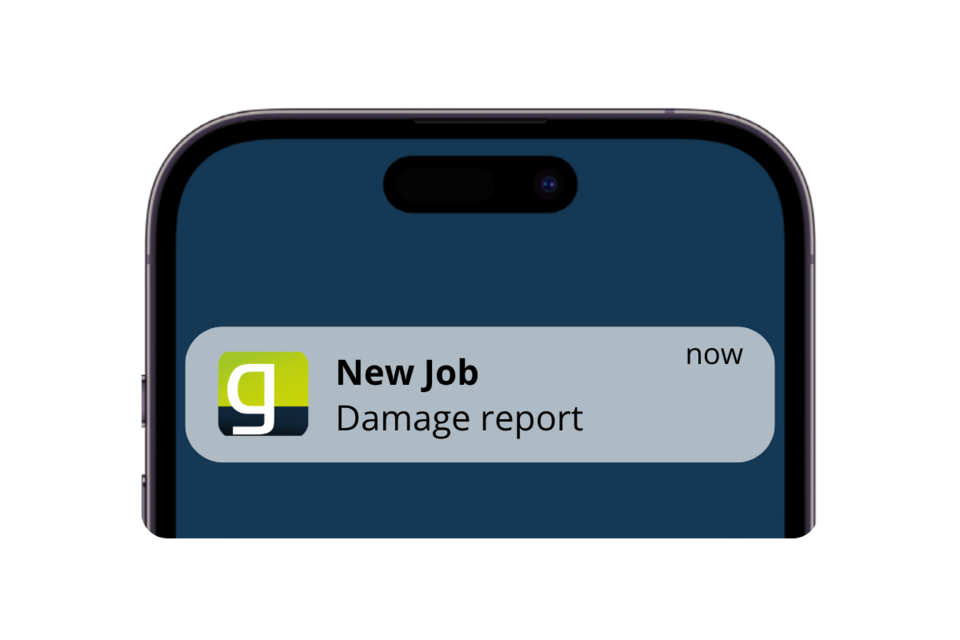
Damage is recorded directly on site using a smartphone or tablet. The appropriate vehicle or device is opened using a QR code or the search function. The employee adds photos and a description and sends the report. The workshop automatically receives a task with all the relevant information.
Once a repair or maintenance job has been completed, it is digitally approved directly in the system. This involves documenting who released the object and when. Only after this release is the vehicle or machine considered ready for use again and is automatically available for planning.
Yes, maintenance and checks can be defined based on time intervals or operating hours. As soon as an interval is reached, the system automatically creates a task. This ensures that maintenance is carried out reliably and is no longer forgotten.
Yes, the system is fully mobile and works on smartphones and tablets. Damage, inspections and documentation can be recorded directly on the construction site or in the field - exactly where they occur.
All relevant information such as damage details, photos, priorities and status are available centrally. Tasks are automatically assigned and processed in a structured manner. This reduces queries, speeds up processes and ensures clean, traceable documentation.
You can use a variety of ready-made forms or create your own. These include, among others
All forms can be filled out directly on the vehicle or on the machine.
Yes, you can create individual forms according to your requirements and assign them to specific vehicles, machines or equipment groups. Alternatively, you can use tried-and-tested templates and adapt them.
The mobile app is used for operational purposes, e.g. for reporting damage, documentation or approval directly at the property. Central control takes place in the portal: task management, maintenance planning, form management and the evaluation and documentation of all processes.
The integrated AI supports the automation of maintenance and documentation processes. Maintenance schedules can be created automatically from manuals. Invoices can also be analyzed and assigned directly to the correct vehicles or machines - including automatic documentation in the history.
Yes, a complete history is stored for each vehicle, machine or device. All damage, maintenance, repairs and approvals are documented chronologically and can be traced at any time.
Digital processes replace manual lists and avoid loss of information. Responsibilities are clearly defined, all data is centrally available and up-to-date at all times. In contrast to paper or Excel, the information can be recorded on the move, documented in an audit-proof manner and integrated directly into planning.